
VSI - Replacement of Joystick Gaiter
- Disassemble the VSI and identify the Joystick type, as described in [ Disassembly and identification of Joystick type ]
- Remove the Joystick Knob.
- Undo the four Joystick Fixing Screws and note the position of the notch in the Joystick.
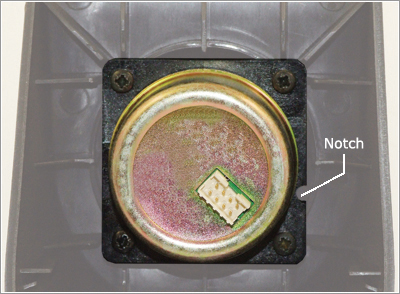
- Remove the Joystick and Joystick Gaiter from the Plastic Top.
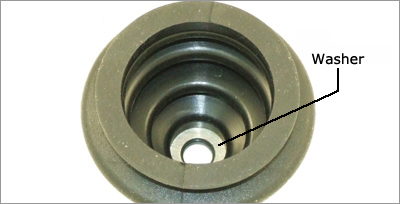
- If working with a JC2000 type Joystick, ensure the metal washer is in place as shown below.
- Refit the Joystick and the replacement Joystick Gaiter, ensuring the notch on the Joystick is correctly positioned.
