VSI - Disassembly and identification of Joystick type
- Using a TORX10x70 driver, remove the four Case Screws from the bottom of the VSI - two in the front and two in the rear, as shown in the diagram below.
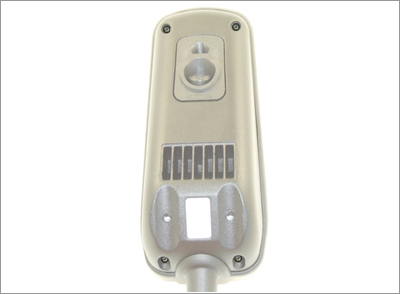
- Carefully using a sideways pressure on the Plastic Top, separate the two halves of the VSI. DO NOT separate the halves by more than a few centimetres at this time, as they are internally connected via a wiring loom.
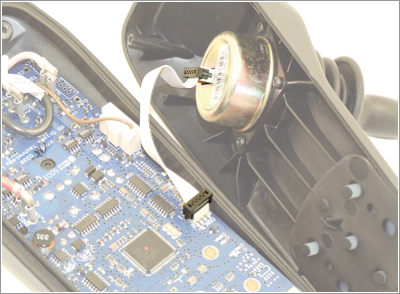
- Disconnect the Joystick Cable from the CON15 connector on the PCB, as shown in the diagram below. The two halves of the VSI can now be separated.
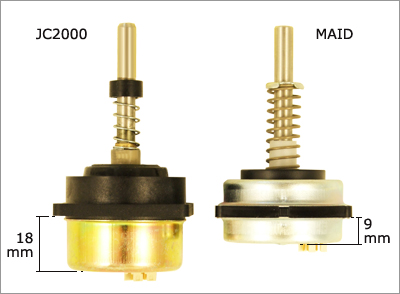
- Identify whether the Joystick is a MAID type or a JC2000 type, refer to the photograph below.
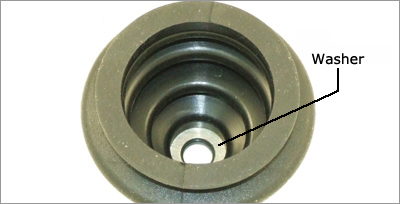
- If the Joystick is a JC2000, and you are not fitting a new Joystick Gaiter, remove the washer (as seen below) from within the existing Joystick Gaiter prior to fitting the new MAID Joystick.