
VSI - Replacement of Cable Assembly
- Disassemble the VSI, as described in [ Disassembly of the VSI ]
- Note which wire colour goes to which connection and the routing of each wire.
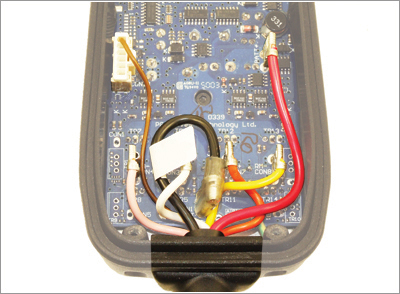
- Taking care not to push downwards onto the PCB or to twist the connectors, remove each wire and pull the Cable Assembly away from the VSI
- Pre-form the replacement Cable Assembly so the wires are arranged to fit their connection point on the PCB.
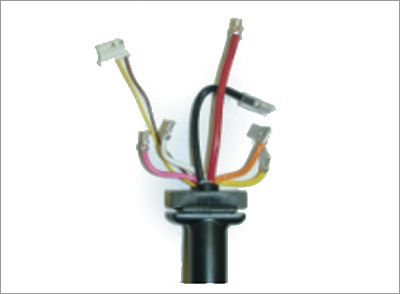
- Insert the cable grommet into its location on the VSI case.
- While minimising the downwards force on the PCB, make each cable connection.
- Ensure the wires do not rest against any adjacent connectors or down onto any MOSFET leg.
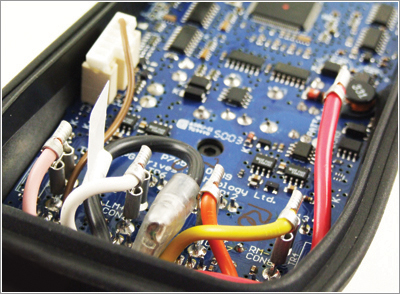
- Reassemble the VSI as described in [ Reassembly of the VSI ]
